PROJECT / 2026
Spotifast
A Native Spotify Client, Forked
My fork of crmne's Spotifast, a native Rust Spotify app built on librespot. It adds an AI DJ driven by your own Claude Code, transitions between songs, prefetching of upcoming tracks, new visualizers, a customizable Library sidebar and its own Windows update channel.
- type
- Native desktop app (fork)
- upstream
- crmne/spotifast, built on librespot
- my builds
- Windows x64, versions 1.0.0 to 1.0.2
- playback
- Needs Spotify Premium
- license
- MIT
- stack
- Rust · egui · eframe · fastframe · librespot · Spotify Connect · Claude Code · MCP · GitHub Actions · Windows Installer (MSI) · Ed25519 signed updates · Nix
Windows releasesSource ↗Upstream: crmne/spotifast ↗librespot ↗
01 / Overview
Spotifast is crmne's native Spotify client: Rust, egui and the fastframe framework, playing through librespot, with no browser engine and a start in well under a second. All of that is their work, and this page is about my fork of it, not the original. The fork started as a small set of branches on top of crmne's releases and grew into an app of its own, 1.0.0, which still merges crmne's releases in and credits them in its release notes. On top of that base it adds an AI DJ that picks and plays music through your own Claude Code, transitions between songs, a prefetcher for upcoming tracks, two more player bar visualizers, a Library sidebar you can shape, and an updater that follows my releases instead of upstream's. Playback needs Spotify Premium, and builds are for Windows x64.
02 / Key features
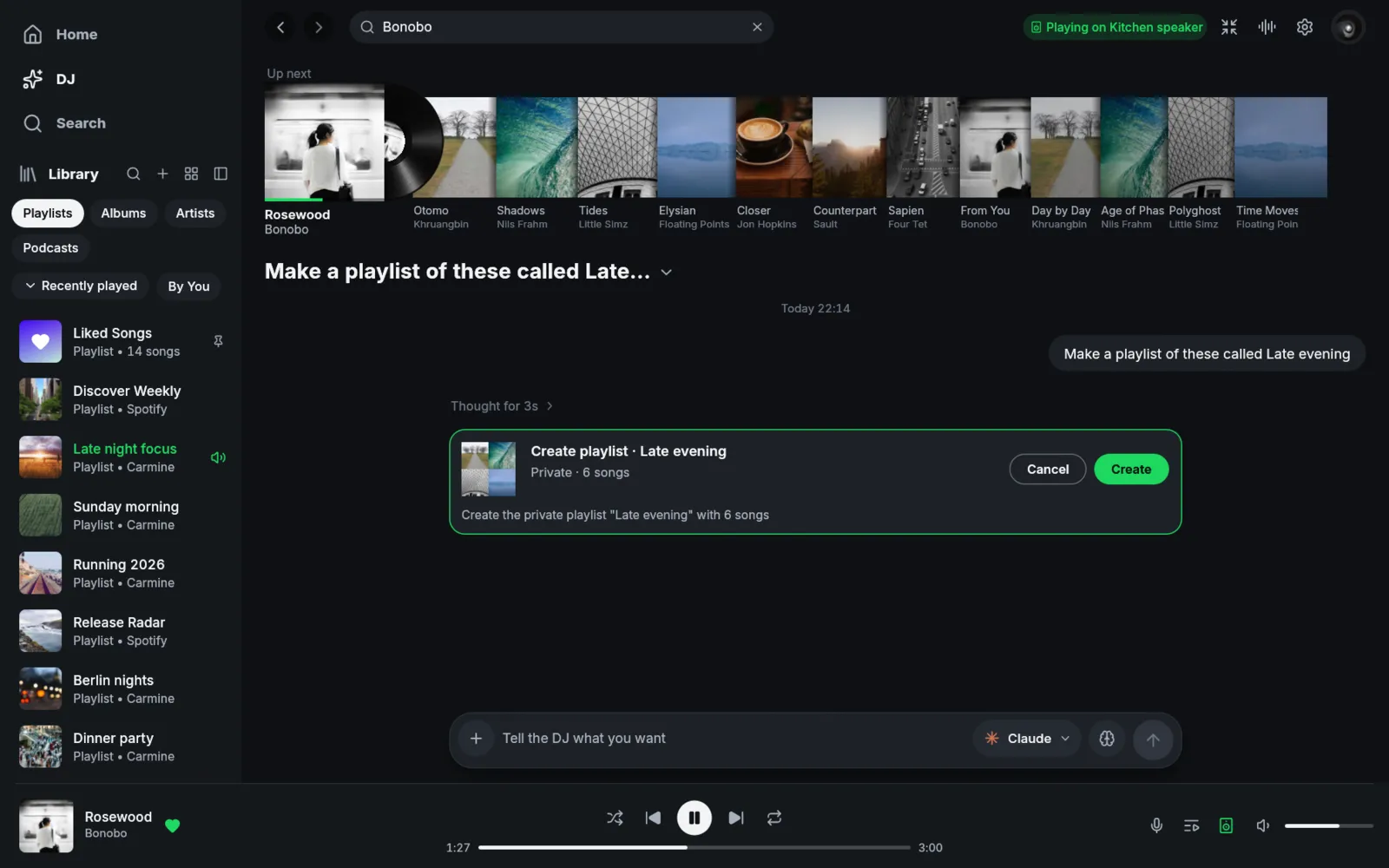
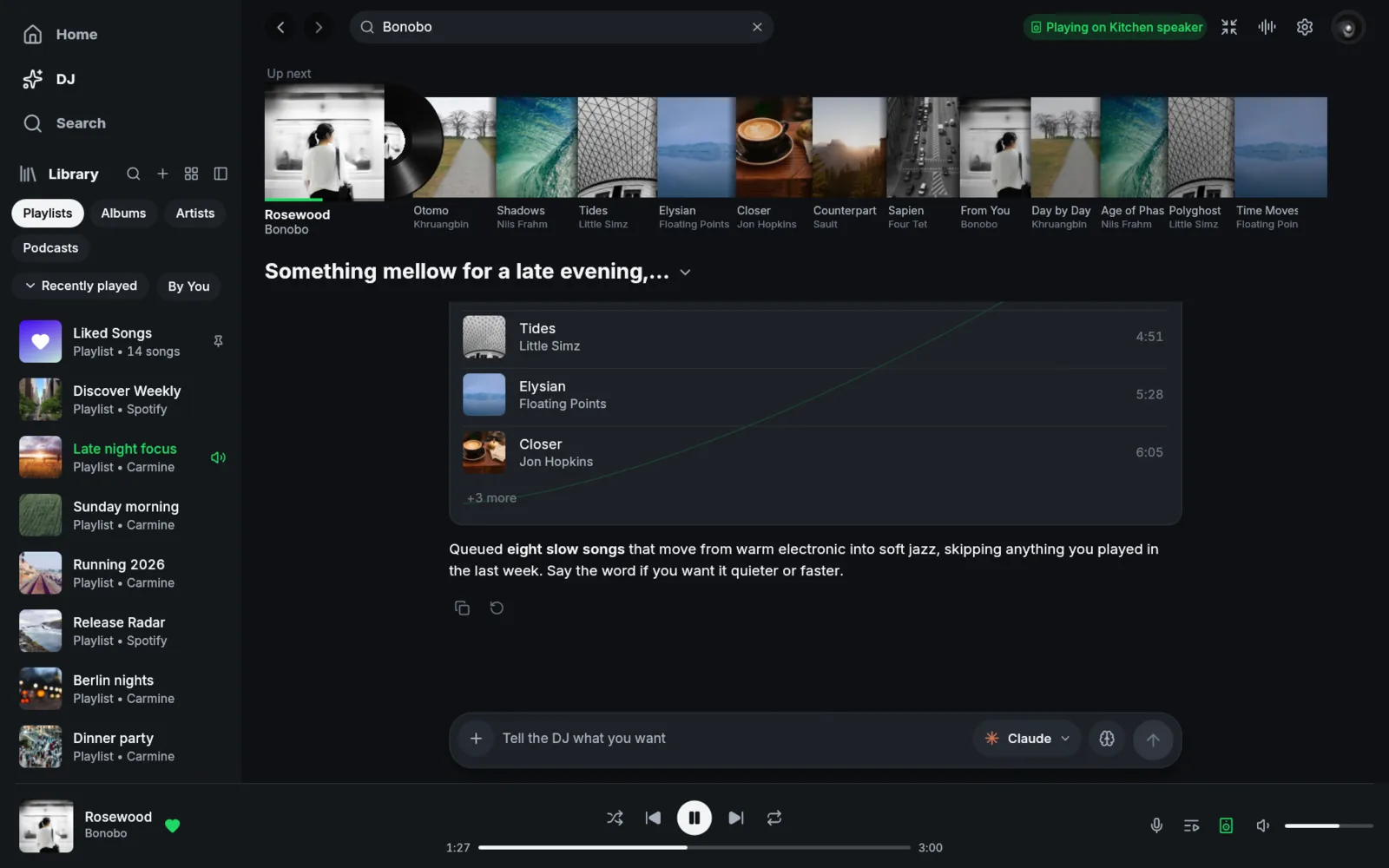
- –AI DJ: a chat page that picks, queues and plays music by driving your own Claude Code, so Spotifast holds no Claude login or API key and refuses to start the DJ while an API key variable is set. It shows the queue as a crate of records with the playing disc, and lists what the DJ thought and which tools it used
- –Asks before it changes your library: by default likes, new playlists, added or removed songs and renames wait for a yes or no on a card, and removals and renames ask even with that switched off. It adds songs only to playlists that are yours or collaborative, removes from and renames only your own, and has no tool for deleting a playlist or touching your account
- –Transitions between songs: Off, Crossfade or Automix in Settings. Automix lines up downbeats and swaps the bass over eight bars, and Mix playlists can play the transitions saved in them
- –Upcoming songs load ahead: the next tracks are fetched into the audio cache with a stall timeout and a shared bandwidth budget, so skipping and the next song start without waiting on the network. The artwork disk cache is capped at 512 MiB
- –Mirror and LED visualizers in the player bar, next to the existing Spectrum and Waveform ones
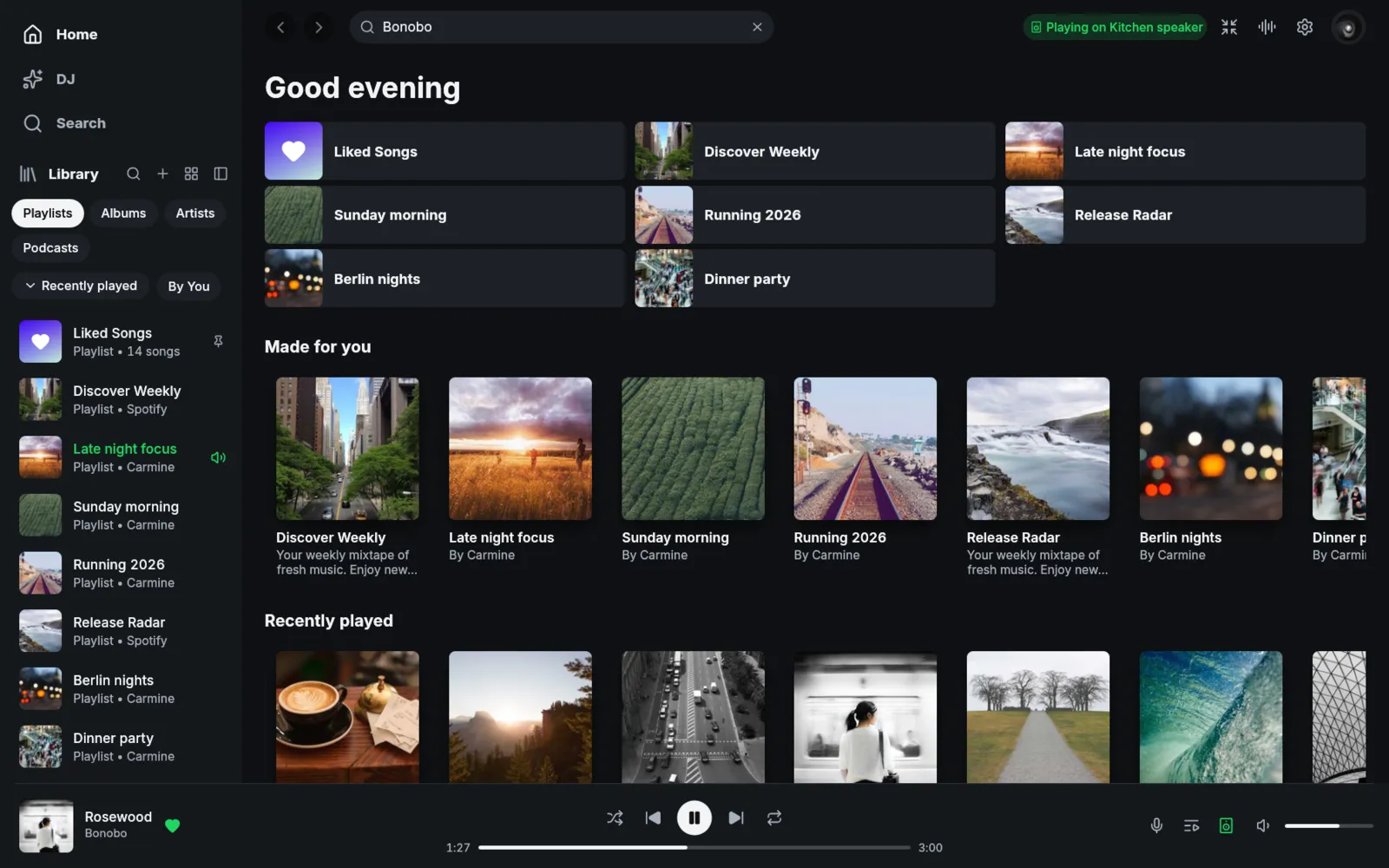
- –Library sidebar you can shape: choose which sections it shows (Playlists, Albums, Artists, Podcasts) and whether crmne's sort menu and By You button appear; turning Podcasts off also stops loading shows. The sidebar also takes the colour of the page's cover art, and shelves scroll with arrows instead of a scroll bar
- –Playlists keep listing when Spotify's Web API turns requests away, by reading the account's own playlist list instead
- –Own update channel for Windows: the built-in updater follows my GitHub releases and checks them against a fork signing key, with each release built from a recorded commit
- –Opt-in puffin profiler and a local build profile with full link-time optimisation, for finding slow frames
03 / Challenges
- –Making the AI DJ safe to hand a music library to: a language model that can queue, like and remove songs needs hard limits, and the text it reads (song titles, playlist names) can try to steer it
- –Mixing two songs inside a player that was built to play one at a time gaplessly: transitions need Spotify's beat grid and recipe data, an overlap mixer, and clean handling of skips and an Off setting that must still play nothing extra
- –Keeping a fork current without losing it: crmne ships often, so every merge has to bring in their fixes while my own features keep working and the updater only ever sees a higher version
- –Hiding network delay: prefetching upcoming tracks must not hog the connection or the disk, or fight playback that is already running
04 / Solution
The DJ runs Claude Code with none of its own tools apart from an optional web search, so it can only act through a small server on 127.0.0.1 that Spotifast starts, protected by a one-time token. Every tool call is checked for types, counts and URI kinds before the app acts on it, and library changes wait on an approval card; removals and anything the DJ does in a turn of its own always ask. Results from Spotify are treated as data and the DJ is told to ignore instructions inside them. Transitions are split into decoding (beat grid, mixability and Mix recipes), automation curves with bounds on their size and values, and a mixer that runs two tracks through a three-band isolator and a resonant filter per side; the planner picks a stored recipe, a downbeat-aligned bass swap or a plain crossfade. Prefetch is gated by a stall-based timeout, a shared budget and a suspend after stalls. For the fork itself, the first approach was a fork-sync workflow that rebuilt a release from each crmne tag plus a list of feature branches. In 1.0.0 that became simpler: main is the app, a sync routine merges crmne's releases in, and a release workflow publishes every version pushed to main.
05 / Outcome
Releases on GitHub for Windows x64: three fork builds on top of crmne's 0.13.0 (0.13.0 to 0.13.2), then my own 1.0.0, 1.0.1 and 1.0.2. 1.0.0 brought in crmne's 0.13.3 together with transitions, the AI DJ, prefetching, the new visualizers and the Library changes; 1.0.1 translated the DJ, and 1.0.2 added what is playing to the now-playing snapshot. The core app, its Spotify Connect and Google Cast support, the signed updater and Windows Installer package, the Spectrum and Waveform visualizers, the By You filter, and the Winamp mini player and MilkDrop visualizers all come from crmne and the contributors to Spotifast, and the audio from librespot.
06 / Screens
01 / 03